
Zoho Workflow Automation: Connect Your Entire Tech Stack
Your business uses multiple tools that don't talk to each other. I connect your entire tech stack using Zoho Flow, Make.com, or Zapier—automating data sync, eliminating duplicate entry, and creating seamless workflows across all your platforms.
Stop manually copying data between systems. One source of truth. Real-time sync. Zero duplicate work. Let your tools work together automatically.
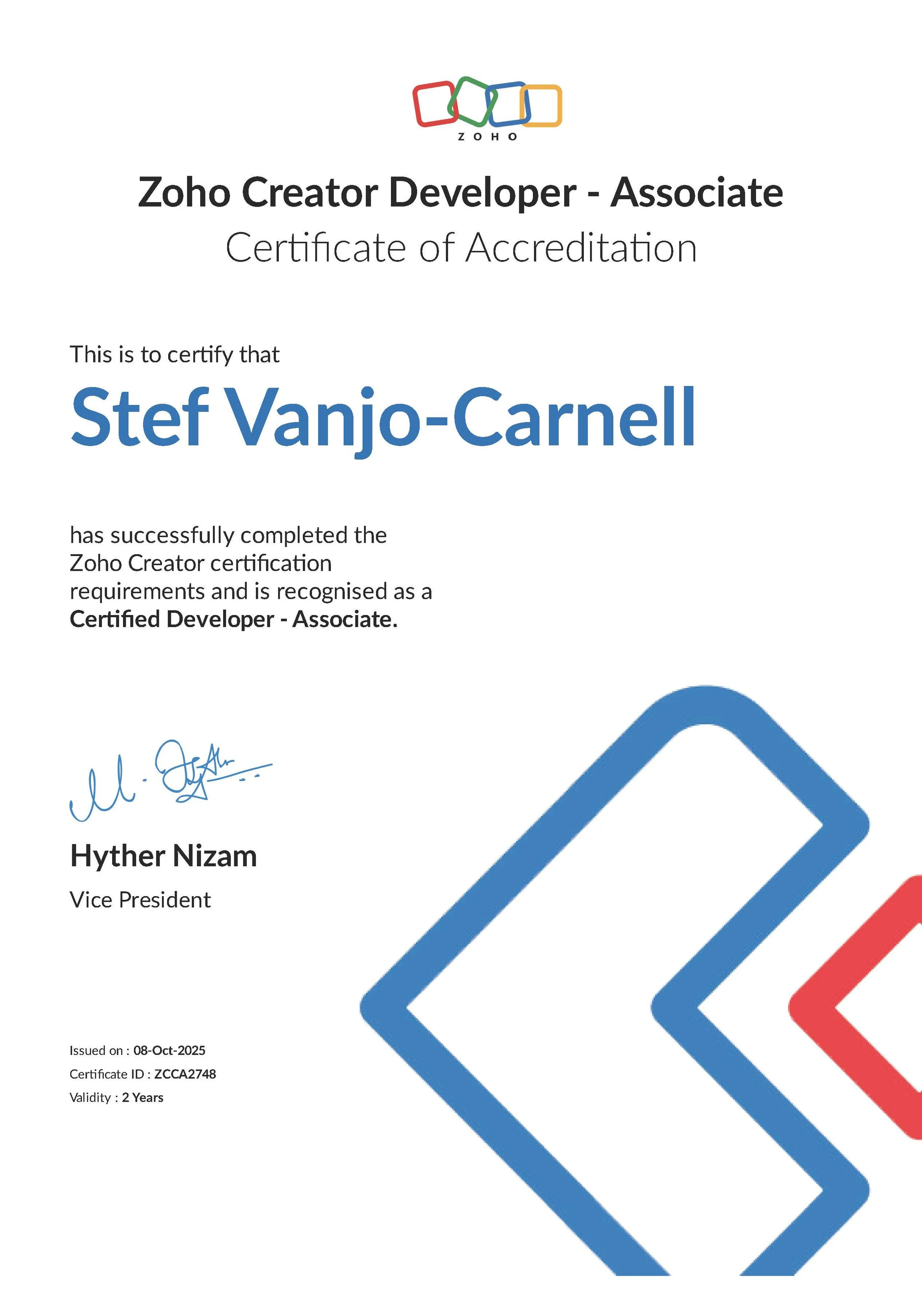
✓ Zoho Creator Certified Developer
✓ Expert in Make.com, Zapier & Zoho Flow
✓ Up to 90 days' post-launch support
✓ Full integration with QuickBooks, Xero & 1000+ apps
Wasting Hours Every Week Copying Data Between Systems?
If you run an admin-heavy small or medium-sized business, this probably sounds familiar:
Your Current Reality:
Data entry hell: Copying the same information into 3+ different systems (Zoho, QuickBooks, email, spreadsheets)
Manual sync nightmare: Updating a client's email in one place, then remembering to update it everywhere else
Disconnected tools: Zoho CRM, accounting software, email marketing, project management—nothing talks to each other
Wasted time: hours every week on tasks that should happen automatically
Data inconsistencies: Different versions of customer data across systems, leading to errors
Team frustration: "Why do I have to enter this information three times?"
The Real Cost:
Hours wasted on repetitive data transfer
Errors from manual entry are causing client issues
Lost opportunities because information isn't where it needs to be
Team burnout from tedious, repetitive work
Inability to scale because processes depend on manual steps
You've tried to connect your tools, but:
✗ Native integrations don't exist or don't do what you need
✗ APIs are too technical for your team to implement
✗ You're not sure which automation platform to use
✗ You tried setting it up yourself, and it broke
✗ You need custom logic that generic integrations don't support
What you actually need:
✓ Seamless data flow between all your business tools
✓ Automated workflows that handle routine tasks
✓ Real-time sync (not manual exports/imports)
✓ Custom logic matching your exact business rules
✓ Reliable automation that doesn't break
✓ Expert setup so you can focus on your business
That's exactly what I deliver with workflow automation.
Seamless Integration Across Your Entire Tech Stack
I connect Zoho (Creator, CRM, Books, etc.) with all your other business tools using the right automation platform for your needs—whether that's Zoho Flow, Make.com, or Zapier.
Assessment & Mapping
What I Do:
Audit your current tech stack
Map data flows between systems
Identify manual bottlenecks
Document integration requirements
Recommend the best automation platform
Your Benefit:
Clear understanding of what's possible and which tool is right for your needs.
Custom Workflow Development
What I Do:
Build custom automation workflows
Configure triggers and actions
Implement conditional logic
Set up data transformations
Create error handling and alerts
Your Benefit:
Automations tailored to your exact business rules—not generic templates.
Testing & Optimisation
What I Do:
Test all workflows thoroughly
Handle edge cases and errors
Optimise for speed and reliability
Set up monitoring and alerts
Document all automations
Your Benefit:
Rock-solid automations that work reliably without breaking.
Training & Support
What I Do:
Train you to manage workflows
Provide documentation
Teach troubleshooting basics
Up to 90 days' post-launch support
Ongoing optimisation recommendations
Your Benefit:
You understand how automations work and can make simple changes yourself.
Complete Workflow Automation Package
Everything you need to connect your systems and automate data flow—typically delivered in 2-6 weeks.
-
✓ Initial Automation Assessment (60-90 minutes)
Deep-dive into your current tools, systems, and manual processes to identify automation opportunities.✓ Technology Stack Mapping
Complete inventory of all your business tools and how they're currently connected (or not).✓ Data Flow Documentation
Visual diagrams showing how data moves (or should move) between your systems.✓ Integration Requirements Analysis
Detailed specification of what data needs to sync, when, and under what conditions.✓ Platform Recommendation
Expert guidance on whether to use Zoho Flow, Make.com, or Zapier based on your specific needs. -
✓ Custom Automation Workflows
Built from scratch to match your exact business logic:Trigger configuration (when should automation run?)
Action sequences (what should happen?)
Conditional logic (if/then rules)
Data transformations (formatting, calculations)
Multi-step workflows
✓ Common Workflow Examples:
New lead in Zoho CRM → Create contact in email marketing tool → Add to follow-up sequence
Invoice paid in QuickBooks → Update deal status in Zoho CRM → Send thank you email
Form submission on website → Create lead in Zoho CRM → Notify sales team → Add to spreadsheet
New deal closed in CRM → Create invoice in Xero → Send to client → Log in accounting
Status change in project tracker → Update client in Zoho CRM → Send notification email → Log time entry
Customer reaches onboarding stage in Zoho CRM → Contract merged from your template and sent via Zoho Sign → Status updated in CRM when signed
✓ Data Synchronisation
Bi-directional sync between systems:Contact/customer data kept in sync
Deal/opportunity updates reflected everywhere
Invoice and payment status synchronised
Document and file syncing
Calendar and task synchronisation
✓ Error Handling & Monitoring
Automatic error detection and alerts
Fallback workflows for failed actions
Notification when automations need attention
Logging of all workflow executions
-
✓ Zoho Ecosystem Integration
Connect multiple Zoho apps together:Zoho CRM ↔ Zoho Creator
Zoho CRM ↔ Zoho Books
Zoho Creator ↔ Zoho Mail
Zoho Flow for native Zoho connections
✓ External Tool Integration
Connect Zoho with your other business tools:Accounting: QuickBooks, Xero, FreshBooks
Email Marketing: Mailchimp, ConvertKit, ActiveCampaign
Project Management: Asana, Trello, Monday.com, ClickUp
Communication: Slack, Microsoft Teams, Gmail, Outlook
Payment: Stripe, PayPal, Square
E-commerce: Shopify, WooCommerce
1000+ other apps via Make.com or Zapier
-
✓ Comprehensive Testing
Test all triggers and actions
Validate data accuracy
Check edge cases and error scenarios
Performance and speed testing
Security and permissions validation
✓ User Acceptance Testing
Your team tests real-world scenarios and confirms automations work as expected.✓ Refinement & Optimization
Any issues identified during testing are resolved before go-live. -
✓ Workflow Documentation
Detailed documentation for each automation:What triggers the workflow
What actions are performed
What data is transferred
Error handling procedures
Troubleshooting guide
✓ Training Session
Live training covering:How automations work
How to monitor workflow execution
How to troubleshoot common issues
How to make simple modifications
When to contact me for help
✓ Visual Workflow Diagrams
Easy-to-understand diagrams showing data flow between systems. -
✓ Up to 90-Day Priority Support
Email and chat support with 6-hour response time during business hours.✓ Monthly Check-In Calls (First 2 Months)
Review automation performance, gather feedback, identify optimization opportunities.✓ Monitoring & Alerts
I set up monitoring so you know immediately if an automation fails.✓ Optimization Recommendations
Based on real-world usage, I'll recommend improvements and additional automations.
Which Automation Platform is Right for You?
Zoho Flow
Best For:
Businesses already using multiple Zoho apps
Simple to moderate automations within the Zoho ecosystem
Budget-conscious businesses (included with Zoho One)
Strengths:
✓ Native Zoho integration (no API limits)
✓ Included free with a Zoho One subscription
✓ Direct access to Zoho data
✓ Simple visual workflow builder
✓ Good for Zoho-to-Zoho connections
Limitations:
✗ Limited non-Zoho app connections
✗ Less flexible than Make.com for complex logic
✗ Smaller app ecosystem
Pricing:
Free with Zoho One
Standalone: Starting at $10/month
Recommendation:
Perfect if 80%+ of your automations are within the Zoho ecosystem.
I work with three primary automation platforms. Each has strengths depending on your needs. Here's how to choose:
Make.com
(formerly Integromat)
Best For:
Complex, multi-step workflows
Advanced conditional logic
High-volume automations
Businesses needing robust error handling
Strengths:
✓ Most powerful automation platform
✓ Visual workflow builder with branching logic
✓ Advanced data transformation capabilities
✓ Excellent error handling
✓ Supports complex scenarios
✓ 1000+ app integrations
Limitations:
✗ Steeper learning curve
✗ More expensive for high-volume use
✗ Requires more technical knowledge
Pricing:
Free tier: 1,000 operations/month
Paid plans: Starting at $9/month
Recommendation:
Best choice for businesses needing sophisticated, reliable automations with complex logic.
Zapier
Best For:
Simple, straightforward automations
Businesses wanting ease of use over power
Quick setup and deployment
Strengths:
✓ Easiest to use (least technical)
✓ Largest app ecosystem (5,000+ apps)
✓ Great for simple trigger-action workflows
✓ Excellent customer support
✓ Fast setup
Limitations:
✗ Limited conditional logic
✗ Less powerful for complex workflows
✗ More expensive for high-volume use
✗ Can be slow for real-time needs
Pricing:
Free tier: 100 tasks/month
Paid plans: Starting at $20/month
Recommendation:
Great for simple automations and non-technical users, but not ideal for complex business logic.
My Recommendation:
I typically recommend Make.com for most businesses because it offers the best balance of power, flexibility, and cost. However, if you're already using Zoho One, Zoho Flow can handle many workflows for free. For ultra-simple automations, Zapier is fine.
During our consultation, I'll assess your needs and recommend the right platform.
Is Workflow Automation Right for You?
This is right for you if:
✓ You're using Zoho + QuickBooks/Xero and manually transferring data
✓ You're copying information between 3+ different systems
✓ You spend 5+ hours per week on manual data entry
✓ You've tried connecting tools yourself but got stuck
✓ You need real-time sync (not daily exports/imports)
✓ You want custom workflows with conditional logic
✓ You're ready to eliminate duplicate work for good
✓ You need reliable automation that doesn't break
✓ You want expert implementation so it's done right
Not right for you if:
✗ You only use 1-2 tools (no integration needed)
✗ You prefer doing manual data entry
✗ You're looking for a DIY solution (this is an expert implementation)
✗ Your processes change constantly (not yet standardised)
✗ You're not willing to invest in reliable automation
✗ You expect a one-time setup with zero maintenance ever
✗ You need integrations with highly specialised legacy software (may require custom API development)
Real-World Automation Workflows I've Built
Workflows from two recent client projects, shown without client names, and other automations I set up often.
Equipment Supplier
Workflow 1: Order to Fulfilment
Trigger: A spares or new system order reaches Order Confirmed in Zoho CRM
Actions:
Create or update a packing job in the repair partner's Zoho Creator portal
Sync the order lines and quantities
Move the deal to Picklist Sent
Result: The partner starts picking straight away, with no email or spreadsheet.
Workflow 2: Packing Details Back to CRM
Trigger: The partner marks a job as picked and packed
Actions:
Check each box has a packaging type, dimensions and weight
Send one package row per box to the CRM deal, with the carton count and packed date
Move the deal to Package Ready only after CRM confirms the update
Result: Shipping details are complete before the courier is booked.
Workflow 3: Documents Before Dispatch
Trigger: The partner confirms the shipping documents are attached to the parcel
Actions:
Move the CRM deal from Invoiced to Ready to Ship through the Blueprint
Record the ready-to-ship date
Result: Nothing ships without its paperwork.
Workflow 4: Repairs to Invoice
Trigger: Goods are received for a repair job
Actions:
Add the standard parts kit for each unit type
Track every part used for stock
Send only extra parts to the CRM deal at the product price
Result: Stock stays accurate and customers are only charged for extras.
Technology Reseller
Workflow 1: Partner Quote to Approval
Trigger: A partner submits a quote in the partner portal
Actions:
Create the deal and quote in Zoho CRM, named from the partner's account
Check discounts and pricing rules on the server
Send the quote for internal approval
Result: Every portal quote follows the same pricing and approval rules.
Workflow 2: Approved Quote Back to the Partner
Trigger: A quote is approved in Zoho CRM
Actions:
Generate the quote PDF
Publish it to the partner's quote in the portal
Record the quote as sent
Result: Partners get approved quotes without chasing the office.
Workflow 3: Support Ticket Sync
Trigger: A partner raises a support ticket in the portal
Actions:
Create the ticket in Zoho Desk
Sync replies and status in both directions
Result: One conversation history, whichever side replies.
Workflow 4: Recurring Invoicing
Trigger: A billing date arrives on an active contract in Zoho CRM
Actions:
Produce the recurring invoice from the contract
Pass it to QuickBooks for accounting
Result: Recurring billing runs from one record, with no re-keying.
Other Examples
Email to CRM Automation
Forward emails to a specific address → Automatically create leads/contacts in Zoho CRM.
Calendar Sync
Meeting scheduled in Google Calendar → Create event in Zoho CRM → Send reminder to team.
Lead Distribution
New lead from website form → Assign to sales rep based on territory → Send follow-up email sequence.
Report Distribution
End of month → Generate reports in Zoho → Email to stakeholders → Save to cloud storage.
Task Management
Deal stage changes in CRM → Create tasks in project management tool → Assign to team members
Workflow automation is priced on the number of workflows, the systems involved and the complexity of the logic. Here are typical project ranges:
Starter Automation
£450+
(Approx. €525+ / $590+ /
ZAR 10,170+)
Ideal for:
Small teams (1-5 users)
3-5 simple workflows
2-4 systems to connect
Basic automation needs
Examples:
Zoho CRM ↔ QuickBooks/Xero sync
Web form submissions → CRM
Invoice paid → status update
New client → onboarding sequence
Includes:
Tech stack assessment
Integration roadmap
3-5 custom workflows
Testing and deployment
Documentation
Training (1 session)
30-day support
Platform: Typically Zoho Flow or Zapier
Timeline: 2-3 weeks
Investment & Pricing
Professional Automation
£750+
(Approx. €875+ / $985+ / ZAR 16,950+)
Ideal for:
Growing teams (5-15 users)
5-10 workflows with conditional logic
4-6 systems to connect
Moderate complexity
Examples:
Multi-step application processing
Client onboarding automation
Accounting and CRM sync
Document management workflows
Notification and alert systems
Includes:
Everything in Starter
5-10 custom workflows
Conditional logic and branching
Advanced data transformations
Error handling and monitoring
Training (2 sessions)
60-day priority support
Platform: Typically Make.com
Timeline: 3-5 weeks
Enterprise Automation
£1,500+
(Approx. €1,750+ / $1,970+ /
ZAR 33,900+)
Ideal for:
Larger teams (15-50 users)
10+ complex workflows
6+ systems to connect
Advanced integration needs
Examples:
Complete business operations automation
Multi-department workflow integration
Legacy system connections
Advanced reporting and analytics sync
Includes:
Everything in Professional
Unlimited workflows
Complex conditional logic
Advanced error handling
Comprehensive monitoring
Training (multiple sessions)
90-day priority support
Quarterly optimisation reviews
Platform: Make.com or Zoho Flow + custom APIs
Timeline: 5-8 weeks
Ongoing Platform Costs (Not Included):
Zoho Flow: Free with Zoho One, or $10-40/month standalone
Make.com: $9-299/month (depends on volume)
Zapier: $20-599/month (depends on volume)
I'll help you choose the most cost-effective platform for your needs.
Payment Terms:
50% deposit to secure your project timeline
50% upon go-live and sign-off
Payment plans available for projects over £5,000
Add-Ons Available:
Additional workflows: £150-£500 (Approx. €175–€585 / $200–$655 / ZAR 3,400–11,300) per workflow
Extended support: £500/month (Approx. €585 / $655 / ZAR 11,300) (5 hours)
Custom API integration: £800-£2,500 (Approx. €940–€2,925 / $1,050–$3,275 / ZAR 18,130–56,650) per API
Workflow modifications: £100-£300 (Approx. €115–€350 / $130–$395 / ZAR 2,260–6,800) per change
Monthly monitoring & optimisation: £300/month (Approx. €350 / $395 / ZAR 6,800)
Results From Real Projects
Results come from individual projects. Yours will depend on your processes, and the free introduction is where we work out what’s realistic for you.
A daily 2-hour task cut to 15 minutes
Zoho Creator and automation, on a project I delivered as a subcontractor for another Zoho consultancy.
80%+ less processing time, 90%+ fewer errors
Across several client projects, by replacing manual entry with automated entries.
No more copying data
Information is entered once and flows to every system that needs it, as soon as it changes.
3 hours → 15 minutes per application
Beechhill Safety, a UK health and safety consultancy, with AI-assisted drafting built into Zoho CRM and Zoho Forms.
Where the gains come from
Over 75% lower software costs
A technology reseller replaced HubSpot and other third-party tools with Zoho One.
Fewer errors
Automated transfers and validation checks stop mistakes from re-keying, and every run is logged.
Why Work With Me for Workflow Automation
The right tool, not just my favourite
As a Zoho CRM Expert and Creator Certified Developer, I work across Zoho Flow, Make and Zapier, and write Deluge functions where a no-code tool isn’t enough. Other Zoho consultancies bring me in for the same work.
From quote to cash, not just one sync
I connect quoting, approvals, orders, fulfilment and invoicing in one flow, so nothing has to be re-keyed between sales, operations and finance.
Built to keep working
Every automation has error handling and checks that stop duplicate records, orders or invoices. You get documentation of what runs and why, so you can troubleshoot the basics yourself.
Frequently Asked Questions
-
It depends on what the automation has to do. If you're on Zoho One and most of the work happens inside Zoho, Zoho Flow is usually the best choice. It's included in Zoho One, within a monthly task allowance. For workflows that span several non-Zoho apps or need advanced logic, I recommend Make.com. For simple automations, Zapier works well. I'll assess your needs and recommend the right platform.
Read more: How to connect Zoho to Make.com, and when Zoho Flow is enough
-
Typically 2-6 weeks depending on complexity. Simple automations (3-5 workflows) take 2-3 weeks. More complex projects take 4-6 weeks.
-
All my automations include error handling and monitoring. If something breaks, you'll get an alert. During your support period, I'll fix any issues. After that, you can hire me on retainer or ad-hoc basis.
Click here more more information about my retainer services
-
Yes. Automation platform costs are separate from my implementation fee. I'll help you choose the most cost-effective plan for your needs.
-
Yes. I provide training and documentation so you can make simple changes yourself. For complex changes, you can hire me on an ad hoc or retainer basis.
-
Automations are modular and can be updated. If you switch from QuickBooks to Xero, for example, I can update the relevant workflows without rebuilding everything.
-
Yes, using conditional logic. For example: "If deal value > £10,000, send approval request to manager. If < £10,000, auto-approve." I can build decision trees into automations.
-
I set up monitoring dashboards showing successful/failed workflow executions. You'll receive alerts if anything needs attention. I also provide documentation showing what each workflow does.
What People Are Saying
“I have had the pleasure of working with Stefanie for the past 2.5 years across multiple project implementation initiatives. Throughout this time, she consistently demonstrated exceptional professionalism, technical expertise, and a strong focus on delivering high-quality results.
Stefanie’s work is always of an excellent standard - thorough, precise, and well thought out. She consistently meets project timelines and often goes above and beyond to ensure deliverables are completed to the highest standard. What truly sets her apart is her ability to think creatively and develop out-of-the-box solutions to complex challenges, ensuring both technical and business process objectives are achieved.
Beyond technical skill, Stefanie brings a strong business process mindset to every project, ensuring that the solutions implemented align with operational needs and deliver real value to the organisation. She is a reliable, insightful, and highly capable collaborator, and it is a pleasure working alongside.”
— Customate Solutions - SaaS Consultant
Applications: Zoho One, Zoho CRM, Zoho Projects, Zoho Books, Zoho Flow, Zoho Creator, Zoho Analytics, Zoho Recruit, Zoho Campaigns, Zoho Desk, Zoho Forms, Zoho Writer, Zoho Sign, Make.com, Zapier, Xero
“Stefanie has worked with us for three years now and has done an amazing job. It is a pleasure to work with her. She is efficient, quick, and full of good ideas and skills. Thanks Stefanie!”
— Beechhill Safety Ltd - H&S Consultant
Applications: Zoho CRM, Zoho Forms, Zoho Projects
“It’s been a pleasure working with Stefanie Vanjo‑Carnell over the past three years. She has supported my business with bookkeeping and has been instrumental in implementing Zoho across our operations. Stefanie is incredibly easy to work with—she understands instructions clearly, works autonomously, and consistently delivers high-quality results. Her depth of knowledge in Zoho customisation has been a real asset, and I’m very much looking forward to seeing the full implementation completed. I have no hesitation in highly recommending her services.”
— Tramline Tec Ltd - Agricultural Engineering
Applications: Zoho One, Zoho Books, Zoho CRM, Zoho Projects
Ready to Connect Your Tech Stack and Eliminate Manual Work?
Book a free 30-minute introduction. We'll review your current tools, identify your biggest bottlenecks, and determine which workflows should be automated first.
No pressure. No obligation. Just expert guidance on automating your business the right way.
✓ Zoho Creator Certified Developer
✓ Expert in Make.com, Zapier & Zoho Flow
✓ Up to 90 days' post-launch support
✓ Serving clients globally
✓ Connect 1000+ apps
Work with me
If you have any questions or comments, please get in touch with me via email or phone.
Email
stef@virtualprocessconsultant.co.uk
Mobile
+43 664 7541 7622
Address
Rabenberg 9, Feistritz im Rosental, Carinthia, Austria, 9162