
If you sell through resellers, agents or other partners, you've probably had the request: "Can we just log in and do it ourselves?" Partners want quotes faster, an update on that approval, or a reply to their support ticket without waiting for an email. A partner portal can do all of that. But a badly scoped portal becomes another system your team has to babysit, with partners doing things you didn't intend and data that no longer matches your CRM. These are the decisions I work through before building one. They come from a partner portal I've built, and continue to extend, for a technology reseller that sells through a partner network.
1. Which system is the master?
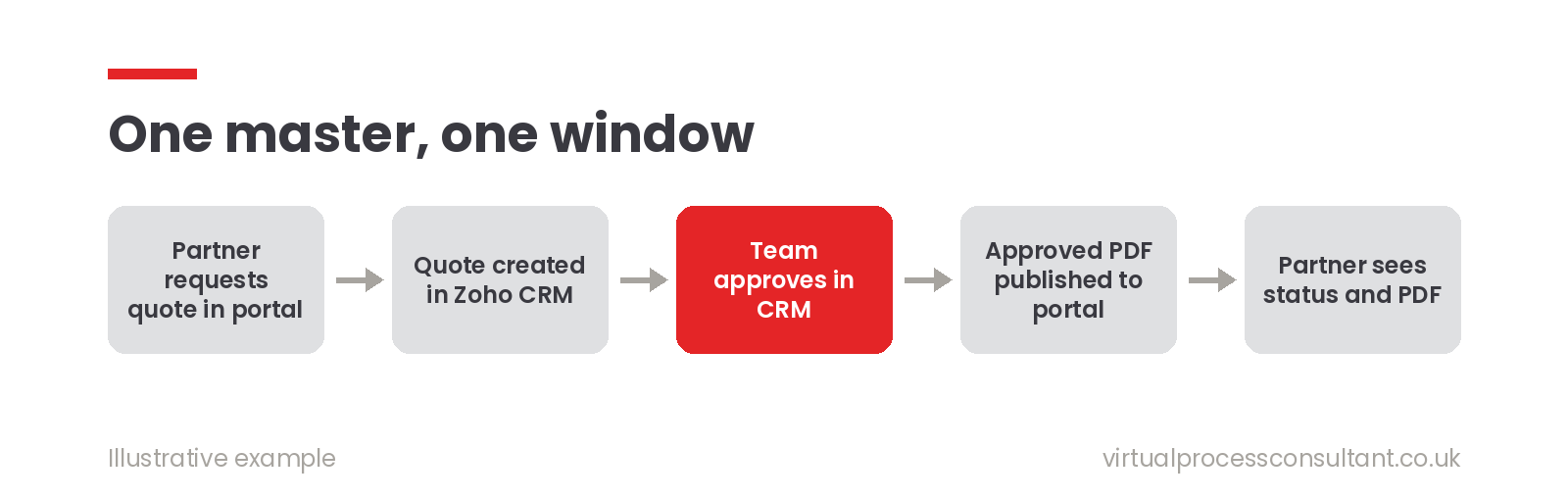
Decide this first. In the portal I built, Zoho CRM stays the master for quotes and approvals. The portal, built in Zoho Creator, is the partner's window onto that data and the place where they take actions. If both systems can hold their own version of a quote, they will eventually disagree. One master, with the portal reading from and writing to it, avoids that.
2. What can partners create, and what can they only see?
Make a short list in three columns:
- Partners can create: quote requests, support tickets, replies.
- Partners can see: quote status, approved quote PDFs, ticket conversations.
- Partners can't touch: anything your own team created. That last column matters. In this project, quotes that the internal team creates in CRM don't appear in the portal at all, and partners can only revise quotes they created themselves. When a broader "revise" option would have let partners edit internal quotes, we kept the narrower version.
3. How much guidance do partners need?
New or occasional partners often need a guided route: a short questionnaire that suggests the right products. Experienced partners find that slow. The answer we settled on was both. Guided quoting is the default, and experienced partners can be switched to a quick-quote route with a single setting on their account. Either way, they can still adjust products and quantities once the quote exists.
4. What happens when a quote is rejected or changed?
Approvals are where portals get messy. Decide in advance:
- Rejected: does the quote go back to the partner to edit, or start again?
- Approved, then changed: does that create a new version, so you keep a record of what was approved?
- Delivered: when does a quote count as "sent"? In this portal, publishing the approved PDF to the partner's portal page is what records it as sent. Writing these rules down before building saves weeks of back-and-forth later.
5. Should support live in the portal too?
If partners already email support, bringing tickets into the portal is often the quickest win. In this project, partners see their tickets, the full conversation and status changes in one place, and their replies go straight back to Zoho Desk. The support team keeps working in Desk as normal. One practical point: load information when the partner opens a page or presses a button, rather than refreshing it constantly in the background. Zoho Creator limits how many calls an app can make to other systems, and constant refreshing used those limits up quickly.
What to leave out
A portal doesn't need every feature on day one. I'd usually leave out:
- separate logins for your own staff (they can use their normal app access)
- partner editing of anything commercial your team owns
- dashboards nobody asked for Start with the two or three actions partners chase you about most often. If the portal removes those emails, it's working.
Is a portal right for you?
A portal makes sense when partners need to do something themselves, repeatedly. If they mostly need a status update once a month, a well-timed automatic email may be all you need.
If you're weighing up a portal for your partners or customers, book a free 30-minute introduction and we'll work out what it should do first, or see how I build custom Zoho Creator applications.
Related reading: One Quote, Two Pricing Models: Building CAPEX and OPEX Quoting Into Zoho CRM