
If you want to connect Zoho to Make.com, you have more than one route, and the right one depends less on the technology than on what the connection has to do. Sometimes Make is the best tool. Sometimes Zoho Flow, which you may already be paying for, does the job. And sometimes neither is needed.
This guide explains the options in plain English, so you can choose with confidence before anyone starts building.
Four ways to connect Zoho to other apps
1. Zoho Flow. Zoho's own integration tool. It connects Zoho apps to each other and to many outside apps, and it's included in Zoho One. Zoho One includes 3,000 Flow tasks per organisation per month, plus 1,000 per employee licence (Zoho One plan details).
2. Make.com. A separate automation platform with a visual scenario builder. Its Zoho CRM app can watch for new or updated records and create, update or search records, and it includes a general "Make an API Call" module for anything else (Make).
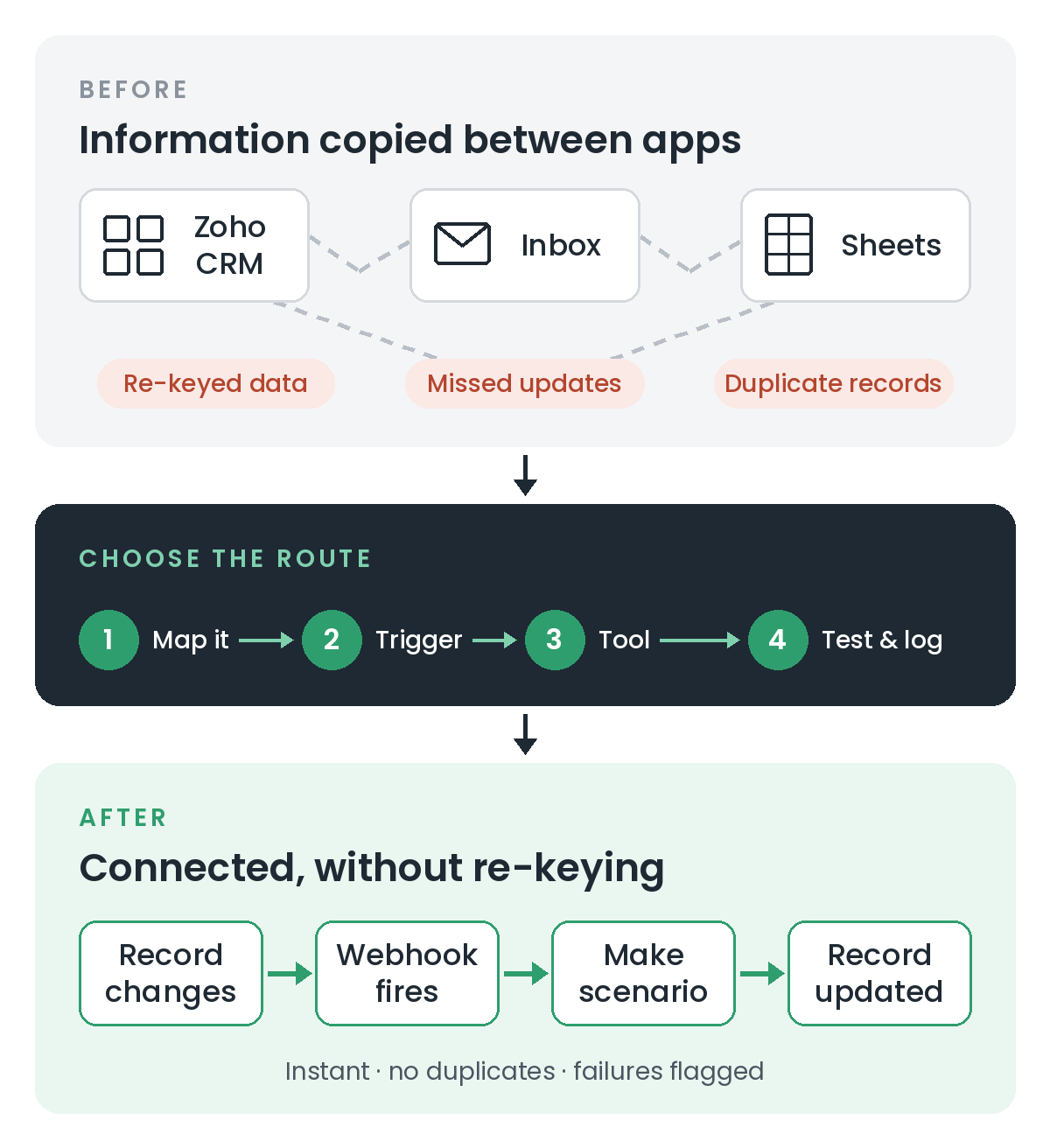
3. A webhook from Zoho. A workflow rule in Zoho CRM can send record data to another system the moment something happens, for example when a deal is won (Zoho CRM Help). A webhook can start a Make scenario instantly, rather than waiting for Make to check for changes.
4. Deluge inside Zoho. Zoho's own scripting language can call another app's API directly from a button, workflow or schedule, with no extra platform in between.
When Zoho Flow is enough
Start with Zoho Flow if:
- most of the apps involved are Zoho apps
- the flow is simple: when this happens, do that
- you're on Zoho One and your volume fits within the monthly task allowance
Keeping everything inside Zoho means one less subscription, one less login and one less place for things to break.
When Make.com is the better choice
Make tends to earn its place when:
- the scenario involves several non-Zoho apps
- the data needs reshaping on the way (splitting, merging, looking things up, formatting)
- there are several branches, such as different handling for different customer types
- your team already uses Make for other work
One request I've had more than once is a button in Zoho CRM that sends a record's details to an outside document tool, creates the document and files it back on the record. That's a good fit for Make: one click in CRM, several steps across different apps behind it.
How to connect Zoho to Make, step by step
- Write the process down first. What starts it, what data moves, where it goes, and what should happen if it fails.
- Decide what triggers it. Make can watch Zoho for changes on a schedule, or Zoho can send a webhook the moment a record changes. For anything time-sensitive, a webhook is usually the better trigger.
- Connect Zoho in Make using a dedicated integration user, not a personal login, so the connection survives staff changes.
- Build and test with demo records, including the awkward cases: missing fields, duplicates and records that change twice in quick succession.
- Add error handling. Decide who gets told when a run fails, and how it's retried without creating the same record twice.
- Document it. A short note of what the scenario does and where it lives saves hours later.
Questions to answer before you build
Will it create duplicates if it runs twice?
Automations get retried and buttons get double-clicked. Check for an existing record before creating a new one, or store a unique key, so that a repeat run updates rather than duplicates.
Who owns the Make account?
If an outside contractor's account runs your business processes, you're dependent on them. Keep the account, and its billing, in the business's name.
Where does the business logic live?
Keep important rules such as pricing, approvals and discounts inside Zoho, where they're applied however a record is created. Use Make to move data, not to make business decisions.
What does it cost at your volume?
Both Zoho Flow and Make are priced by usage. Estimate how many records a month will pass through before choosing, and check the current price lists.
The short answer
If it's mostly Zoho talking to Zoho, use Zoho Flow. If it's several outside apps with real logic in between, use Make. If it must happen instantly, trigger it with a webhook. And if it's a business rule, keep it in Zoho.
Need help choosing?
If your team is still copying information between Zoho and other apps, a short conversation is usually enough to pick the right connection. Book a free 30-minute introduction, or see how I approach workflow automation.
Related reading: Zoho CRM customisation