
If you sell support contracts, subscriptions or anything billed monthly, quarterly or yearly, recurring invoicing is probably on your list of things to automate. It sounds straightforward: set a start date and a frequency, and let the system send invoices. In my experience, the technical side is rarely the hard part. The hard part is the handful of business decisions hiding inside "just bill them every month". Get those wrong and automation simply makes the mistakes faster. These are the six questions I work through with a business before building recurring billing in Zoho CRM. They're drawn from a recurring-billing design I'm currently building for a technology reseller, but they apply to most service businesses.
1. What actually starts the billing?
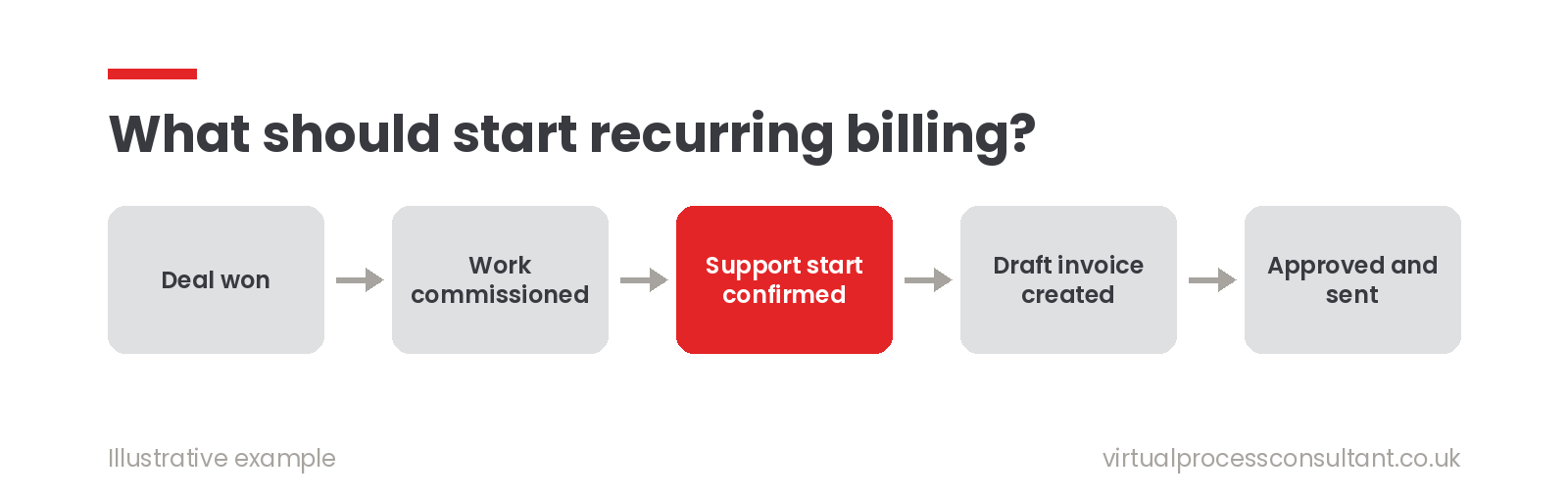
The obvious answer is "when the deal is won". Often it's wrong. If you install or commission something before the customer starts using it, billing from the order date means charging for a service they haven't received yet. In the design I'm building, billing for ongoing support starts from a confirmed support start date, captured when the work is commissioned, not when the order is signed. Decide which real-world event starts the clock, and make someone confirm it in the system.
2. Are some charges split between stages?
Many businesses take part of a payment up front and the rest on completion. For example, a percentage of services on order and the remainder when the work is finished. If that's how you work, decide:
- the default split (and whether it can vary per deal)
- which types of charge it applies to
- what happens to the first recurring period if it's included on the completion invoice, so you don't bill it twice That last point catches people out. If the first year of support is on the completion invoice, the recurring schedule must start from year two.
3. Who approves an invoice before it goes out?
Fully automatic sending is tempting. For most SMEs, I'd recommend automatic drafts with a quick approval step instead. The system prepares the invoice a set number of days before it's due, someone checks it, and only then is the PDF created and sent. You keep the time saving without losing the chance to catch an odd amount or an out-of-date contact. Zoho CRM's approval processes handle this well.
4. Who should receive the invoice?
The person who signed the deal is often not the person who pays the invoice. Decide where the billing contact comes from, and let someone confirm or change it at a sensible point, for example when the purchase order arrives. A good rule: reuse what you already know, but let people correct it. Pre-fill billing details from the deal, quote and account so nobody re-types them, but never overwrite a value someone has deliberately changed.
5. How do purchase orders work for this customer?
Some customers issue one PO for the whole contract. Others need a new PO for every invoice, or a new one at renewal. If the system doesn't know which, invoices get rejected and payment is delayed. Record the PO policy on the deal, and make it visible where the work happens: a clear "waiting for PO" flag, or a reminder in the renewal process, is far more effective than a note in someone's inbox.
6. What happens at renewal?
Contracts end. Decide how far ahead you want to be reminded (90 days is a sensible default, but make it a setting rather than something hard-coded), and what the renewal should create. In the design I'm building, a single button creates the renewal deal and a draft quote based on the accepted one, so nobody starts from a blank page.
One technical point worth insisting on
Whatever you build, make sure the automation can't create the same invoice twice. Scheduled jobs get re-run, buttons get double-clicked and integrations retry. A simple unique key for each billing period, checked before an invoice is created, prevents a very awkward conversation with a customer.
Where to start
You don't need to answer all six questions perfectly on day one. You do need to answer them before anyone writes a line of code. If you can write down, in plain language, when billing starts, who approves it, who receives it and what happens at renewal, the build itself becomes much simpler.
If you'd like help working through those decisions for your own contracts, book a free 30-minute introduction, or see how I approach Zoho CRM implementation.
Related reading: One Quote, Two Pricing Models: Building CAPEX and OPEX Quoting Into Zoho CRM